Open a Synology Hyper Backup without Hyper Backup and without a working NAS. Find the last clean run, see what changed, restore what you need. Free for macOS and Windows.


It was built after a ransomware incident. The NAS was encrypted, the backup sat on Google Drive, and the only official way to read it was Hyper Backup — running on a NAS. We needed the files back, not a new NAS first.
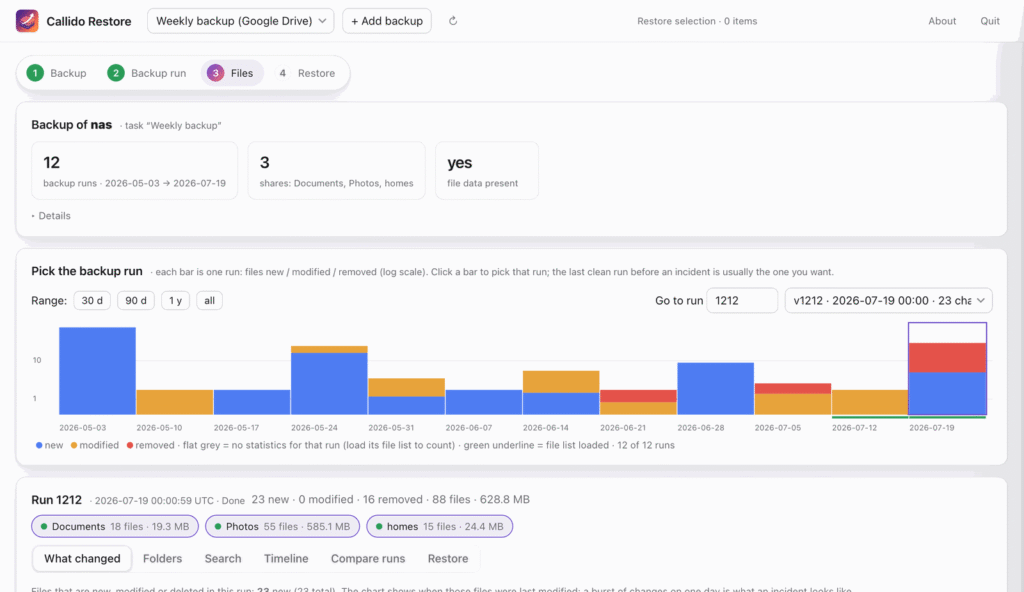
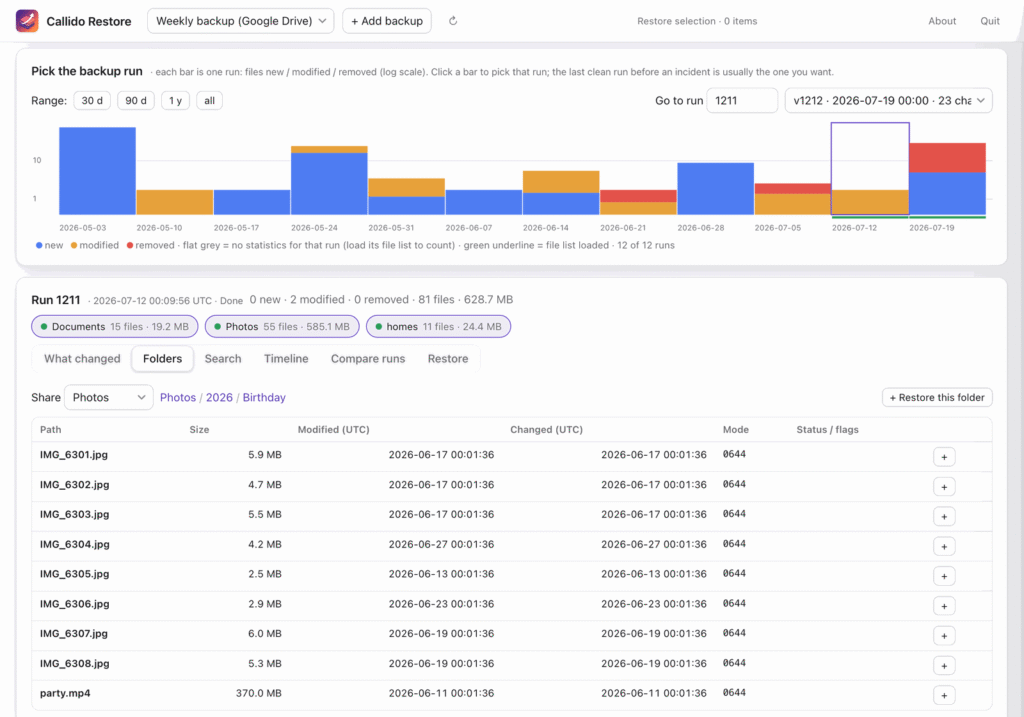
callido restore opens a Hyper Backup (.hbk) wherever it lives: Google Drive or any rclone remote, a NAS share, or a local disk. Complete or partial. It shows every backup run on a timeline, with the files new, modified and removed per run, so an incident stands out. It flags ransomware-encrypted copies and ransom notes, lets you browse the last clean run and restores what you pick, to a NAS or to a local folder. It reads the backup’s own metadata and downloads only the data you restore.
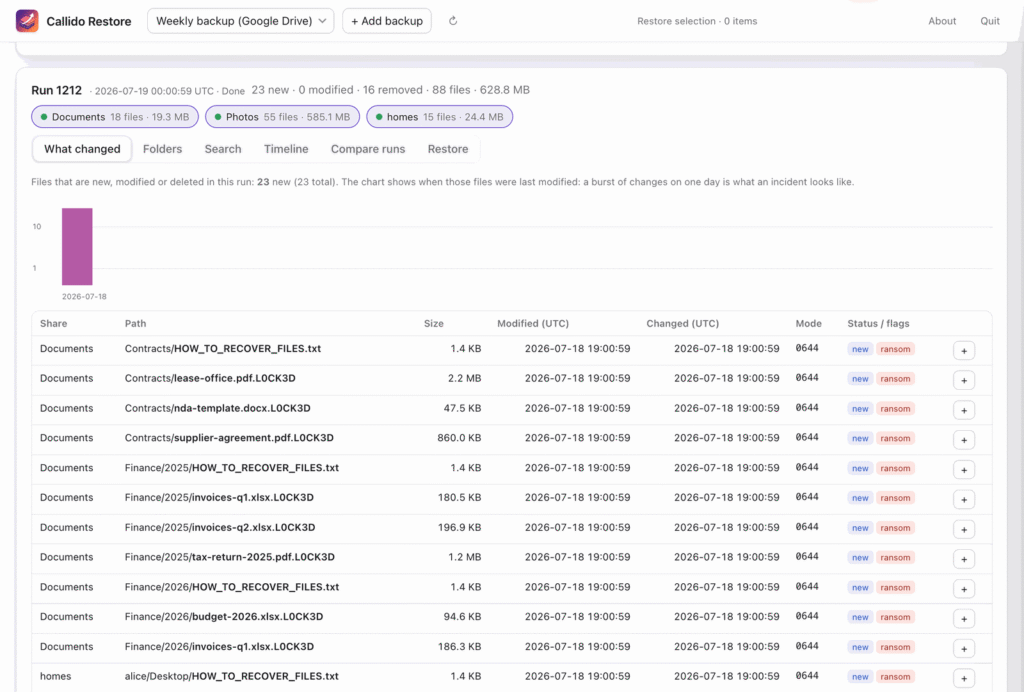
It never overwrites and never deletes: files already at the target are skipped, and a target inside the backup itself is refused. After a restore, every file is reported as verified, restored from an identical copy, or unverified. If the laptop sleeps or the network drops halfway, press Continue and it resumes at the next file.
Backups with client-side encryption are not supported yet. The apps are not code-signed yet, so macOS and Windows warn on the first start. Open source, MIT licensed. Not affiliated with Synology.
Always the latest release. Free.
All downloads and install notes → Release notes v1.3.0 Checksums Source code


We use analytics cookies to see how this site is used — nothing else. Learn more